Facebook Badge

Keep updated ,Follow us here
Showing posts with label ipd touch 4g. Show all posts

Wednesday, December 8, 2010

Greenpois0n Untethered Jailbreak for iOS 4.2.1 on All iDevices on Its Way

Few minutes ago p0sixninja the hacker behind Greenpois0n jailbreak has just announced that the new version of Greenpois0n is being updated to be untethered jailbreak for iOS 4.2.1 on iPhone 4,3GS iPod touch 4G, 3G and iPad, but the untethered task has caused a delay in releasing the new Greenpois0n.
I apologize for the delay in greenpois0n 4.2.1 support. Our current focus is on a permanent untether solution
Till now there is no ETA (estimate to arrival) for the new Greenpois0n. By the way Comex is also developing a new method to make untethered jailbreak for iOS 4.2.1 on all devices and it's expected to see the light on Christmas.

Tuesday, November 23, 2010

HOW TO: Jailbreak iOS 4.2.1 iPhone 4, 3gs, 3g, iPad, iPodTouch with Redsn0w 0.9.6b4

Few moment ago we broke the news about the release of Redsn0w 0.9.6b4 to jailbreak iOS 4.2.1 on iPhone 4, 3GS, 3G, iPod touch 4G, 3G and iPad with working MobileSubstrate, as we told you earlier that redsn0w 0.9.6b4  is based on GeoHot’s limera1n bootrom exploit.
The bad new is that right now, the redsn0w 0.9.6b4 is a tethered or semi-tethered jailbreak for some devices (i.e. you will lose your jailbreak every time you reboot your iDevice, so you have to follow the following steps every reboot to have a jailbroken device )

Untethered Devices:
  • iPhone 3GS (old bootrom)
  • iPhone 3
  • iPod touch 2G (Non-MC Model)

Tethered Devices:
  • iPhone 3GS (new bootrom)
  • iPhone 4
  • iPad
  • iPod touch 2G (MC Model)
  • iPod touch 3G
  • iPod touch 4G
NOTE: Those of you who rely on a carrier unlock stay away from Redsn0w and iOS 4.2.1.

GUIDE:

STEP 1: Download redsn0w 0.9.6b4,  iOS 4.2.1 for your device(download links at the end).

STEP 2: Update to 4.2.1 firmware using the IPSW file you just downloaded via iTunes 10.1.

STEP 3: Launch Redsn0w 0.9.6b4,  and browse for iOS 4.2.1 firmware final version 

STEP 4: Select "Install Cydia" and click on "Next"
STEP 5: Now make sure your device is both OFF and PLUGGED IN to the computer before you click “Next”.
STEP 6: At this stage you will need to put your iPhone in DFU mode by holding “Power” button and then while holding the “Power” button, you will now have to hold “Home” button too. Now after few seconds release “Power” button but keep holding “Home” button until installation begins.

STEP 7: You will Get a Jailbroken Device on the latest iOS 4.2.1  as soon as the process ends.

STEP 8: This step is only for these devices iPhone 4, 3GS (New Bootrom), iPod touch 4G,  3G, 2G, iPad. While this is tethered jailbreak and whenever you want to do anything related to jailbreak like SSH your device, or running Cydia, you must first run your device in the so called “jailbroken state” on every reboot by using “Just boot tethered right now” option.

Download iOS 4.2.1 (Final version) for your device version.
Download Redsn0w 0.9.6b4 for Windows and Mac
Download iTunes 10.1 for Windows or Mac

Friday, November 19, 2010

Jailbreak iOS 4.2.1 GM on iPhone 4, 3GS, 3G and iPod touch 4G, 3G with Redsn0w 0.9.6b2 [Guide]

Today we broke the news about the release of iOS 4.2.1 GM for iPhone 4, 3GS, 3G, iPod touch 4G, 3G and iPad. Now you can use Redsn0w 0.9.6b2 to jailbreak all these iOS devices. Moreover I have collected the direct download links for iOS 4.2.1 GM to all above mentioned devices.

You have to note that Cydia doesn't work till now due to some issues on the private APIs used by Cyida which has been changed by Apple. Bud don't worry the developers has fixed these issues and it is only a matter of time as they are waiting for the iOS 4.2.1 public release. For now you can install jailbroken-apps via SSH - until we got the new Cydia version - as you have full root access on your iOS device.

STEP 1: Download redsn0w 0.9.6b2,  iOS 4.2.1 GM and iOS 4.1 final version for iPhone 4, 3GS, 3G, iPod touch 4G, 3G (download links at the end).

STEP 2: Update to 4.2.1 GM firmware using the IPSW file you just downloaded via iTunes.

STEP 3: Launch Redsn0w 0.9.6b2,  and Browse for iOS 4.1 firmware final version (NOT iOS 4.2.1 GM). 

STEP 4: Select "Install Cydia" and click on Next
STEP 5: Now make sure your device is both OFF and PLUGGED IN to the computer before you click “Next”.
STEP 6: At this stage you will need to put your iPhone in DFU mode by holding “Power” button and then while holding the “Power” button, you will now have to hold “Home” button too. Now after few seconds release “Power” button but keep holding “Home” button until installation begins.

STEP 7: You will Get a Jailbroken Device on the latest iOS 4.2.1 GM as soon as the process ends.

NOTE: If you have an unlocked iDevice with ultrasn0w, you have to stay away from Redsn0w, as it updates your baseband to latest version, which is still unlockable till now.

Download iOS 4.1 (Final version) for iPhone 4, 3GS, 3G, iPod touch.
Download iOS 4.2.1 GM for iPhone 4.
Download iOS 4.2.1 GM for iPhone 3GS.
Download iOS 4.2.1 GM for iPhone 3G.
Download iOS 4.2.1 GM for iPod touch 4G.
Download iOS 4.2.1 GM for iPod touch 3G.
Download Redsn0w 0.9.6b2 for Windows and Mac
Download iTunes 10.1 for Windows or Mac

[Download Links via GumballTech]

Thursday, October 14, 2010

Download Limera1n for Mac OS X to Jailbreak iOS 4.1 on iPhone 4, 3GS, iPod Touch 4G, 3G and iOS 3.2.2 on iPad

Monday, September 27, 2010

Jailbreak iPod Touch 4G with SHAtter Exploit [Video]

A few moments ago we surprised with a new video from the iPhone dev-team, The dev-team confirmed that the SHAtter exploit was enough to convince the iPod touch 4G to restore to a custom IPSW created specifically for this model. As you know the SHAtter exploit was developed by Pod2g (ex-Chronic dev). Dev-team also confirmed that the team is hard at work bringing us a brand new tool to make use of the exploit.
In the meantime, we’ve put @pod2g’s exploit into a beta version of PwnageTool to test the waters. The SHAtter exploit was enough to convince the iPod touch 4G to restore to our custom IPSW. The successful result is shown below! It’s all working: customized Preferences to show battery percentage, Cydia, root shell…the works!
Although PwnageTool was a useful first test of a full iPod 4G jailbreak via SHAtter, it’s really overkill compared to the faster tools being developed. Its main use in PwnageTool will be for those with iPhone4’s, to allow updates while preserving the baseband and ultrasn0w carrier unlock. In any event, this is another exciting time for iPhone and iPod touch users…the cat and mouse game continues!

Thanks to the union between PwnageTool and Shatter to run the jailbreak on iPod Touch 4G, however there is no ETA (estimate to arrival), but we can say that we are really close to the first release of the new tool to jailbreak iOS 4.1. As usual we will keep you tuned with any immediate updates.

You may also like:

Wednesday, September 1, 2010

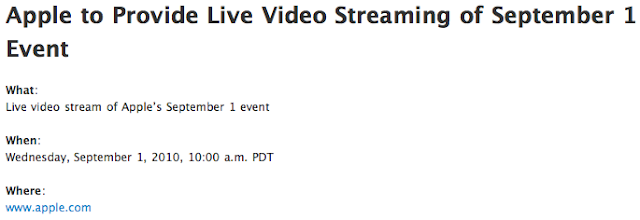
Apple To Show September Event Today Via Live Streaming Video Officially

Apple just announced through a press officially, that Apple event will be live streaming video through its official site. This is the first time ever in the history of all the keynote where Apple is offering streaming live video .
This would then mean that the Cupertino company intends to present something really great. Streaming uses the standard HTTP so Apple event can be viewed on any Mac , iPhone , iPod Touch and iPad . CoveringWeb.com of course will offer Live coverage to discuss and comment with you the live event . Do not miss it.
Apple official live video streaming here.
Update 1: You can check the full summary of the Apple Special Event here.

You may also like:

Thursday, August 26, 2010

iPod touch 4G LCD Assembly Video

SmartPhoneMedic posted a video which shows the assembling process of the iPod touch 4G LCD (unofficially), while it is still unclear if will see it in the next Apple event next Wednesday or not.
A significant fact is the slight difference in size than previous models ans especially the presence of a hole in the front, positioned at the center above the display, it is perfect for a front camera which will allow users to use FaceTime in new iPod touch.

All just have to wait September 1st, the Apple event.
Update 1: You can check the full summary of the Apple Special Event here.

Also you may like: