Facebook Badge

Keep updated ,Follow us here

Friday, April 1, 2011

Thieves Are Stealing Children's Identities

Identity theft has saddled thousands of children with debt, sometimes for years before they ever discover their personal information has been stolen, a study says.

Within a database of 42,232 children that was compiled by an identity-protection business, 4,311 -- 10.2% -- had someone else using their Social Security numbers, according to "Child Identity Theft," a report by Richard Power, a distinguished fellow at Carnegie Mellon Cylab.

MORE ON THE PROBLEM: FTC: ID theft again tops consumer complaints

In one case, a 17-year-old girl's Social Security number was used by eight different people to amass $725,000 in debt. In another case, a 14-year-old boy had a 10-year-old credit history that included a mortgage on a $605,000 house, according to information supplied to Power by the identity-protection firm All Clear ID.

The study analyzed the types of documents on which the Social Security numbers appeared, and it found that 70% were loan or credit card applications, 18% utility bills, 5% property assessments, deeds, mortgages and foreclosures, 4% driver's licenses and 2% vehicle registration.

While 1 in 10 children in the database had their identities stolen, only 0.2% of the adults fell victim in the same way, Power says, and that stark contrast raises questions. "Are child Social Security numbers a hot commodity?" Power writes. "Are cyber criminals and other fraudsters seeking them out? Are child IDs preferable for fraudsters?"

The answer is that he doesn't know, and can't know until there is a study that is designed to compile results that can be extrapolated to the general population. Power says he and others at Carnegie Mellon University are considering such a study, but none is planned yet.

Meanwhile, it doesn't make a lot of difference what percentage of children's IDs are stolen, Power says. If you're the one it happens to, it's a nightmare, and most people don't even consider it as a possibility. "The other dimension is to raise awareness of this as an issue," he says.

In some cases parents with bad credit ratings use their children's Social Security numbers to open accounts with utility companies so they can get water and electricity without intending to harm the children's credit, Holland says. In other cases, criminals use the number to profit. Some are used by people in the country illegally who are trying to establish credit, and buy houses and cars.

The database used for the study was all the people under 18 that were listed in All Clear ID's 800,000-plus database of people whose personally identifiable information had been compromised. The firm is hired by businesses that suffer data breaches and want to extend some protection to those who could become victims, says Bo Holland, All Clear ID's CEO.

In most cases, identities endangered by data breaches do not fall under systematic attack, Holland says. The identities are compromised, but don't appear to be taken by someone who then actively tries to capitalize on them. Names that fell under targeted attacks were dropped from the database used for the study, he says.

People worried that a child's Social Security number is being misused can check it out free at http://freechildscan.allclearid.com for a limited time.

Read more about wide area network in Network World's Wide Area Network section.

For more information about enterprise networking, go to NetworkWorld. Story copyright 2011 Network World Inc. All rights reserved.
Source: pcworld.com

Facebook Profile Migration Tool Takes a Hiatus

The tool allowed users to convert Facebook Profiles into Facebook Pages, turning friends into fans, and was aimed primarily at brands and organizations.


The new feature was launched to little fanfare earlier this week, but managed to generate a lot of publicity after being featured on Inside Facebook, CNET, The Huffington Post and of course, Mashable. I decided to test the tool on my own account — and ran into a number of serious problems. Although my situation was resolved (a huge thanks to the Facebook engineer who helped me), it’s not an experience I would wish on anyone.

As of Friday, the option to convert profiles to pages appears to be disabled. Visiting the tool page redirects to the standard “create a page” tool. We’ve reached out to Facebook for official comment.

In the comments on my post yesterday, other readers who had attempted the conversion chimed in with their experiences. It’s likely that the additional publicity given to the tool resulted in a large number of inadvisable migrations.

If the tool does return, only use it if you are absolutely certain of the consequences. The Facebook terms of service state that inanimate objects, pets, and businesses can’t have personal profile pages — so in these cases, a migration makes sense. Otherwise, you’re better off sticking with the profile you already have.

If it’s for anything other than TOS compliance, it’s probably not a good idea to move forward.

You May like:
Facebook Merges Mobile Sites for All Phones
New Apps for Your iPhone and Android
HOW TO: Make an iPad Case Using Common Household Materials

Facebook Merges Mobile Sites for All Phones

Facebook is revamping the mobile interface of the site, as the social network announced 250 million people use the site via their mobile phones. Instead of having several versions of the site for touchscreen phones, and non-touchscreen phones, Facebook will implement one single mobile site that adapts features available to users depending on the phone they use.

Facebook Product Designer Lee Byron wrote on the company's blog that running several versions of mobile sites was stifling the ability to innovate, because developers had to work on several code bases. So instead, they are launching a unified mobile site, eliminating the differences between touch.facebook.com and m.facebook.com.

"There will no longer be a difference between m.facebook.com and
touch.facebook.com, we'll automatically serve you the best version of the site for your device," Byron explains. "This way we can move even faster and build new features just once for every mobile device."

In the new m.facebook.com, touchscreen smartphone visitors will see Facebook's touch-friendly interface (previously of touch.facebook.com), which adapts on the phone's hardware capabilities. For example, a phone with no GPS will not see the Places Check-in feature. Feature phone users will see a scaled-down version of the mobile site, with an interface adapted for their screens.

To power the new mobile site, Facebook created a UI framework based on XHP, Javelin, and WURFL, a detailed database matching features available to device capabilities. 0.facebook.com, the text-only Facebook mobile site designed for speed, will also use the same framework.

"This enables us to very precisely target experiences and features to thousands of different devices," Byron writes. "For example, some devices don't have keyboards, or have limited means of navigating a page, tiny screens, or crippling browser bugs. We can customize our site in each case to deal with these issues and provide the best possible experience to everyone."

New Apps for Your iPhone and Android


Both iPhone & Android

SocialCam: This app offers you an easy way to share videos with your friends. With the app, you can record, tag and share your videos in addition to browsing, liking and commenting on those belonging to friends.

Kazaa: Instead of launching in the official app stores, Kazaa made its music subscription service available on mobile via www.kazaa.com. The decision was made primarily to thumb its nose at Apple, because of the company's "recent announcement that it will now keep 30% of revenue generated by new subscriptions and media purchases," says Zazaa.
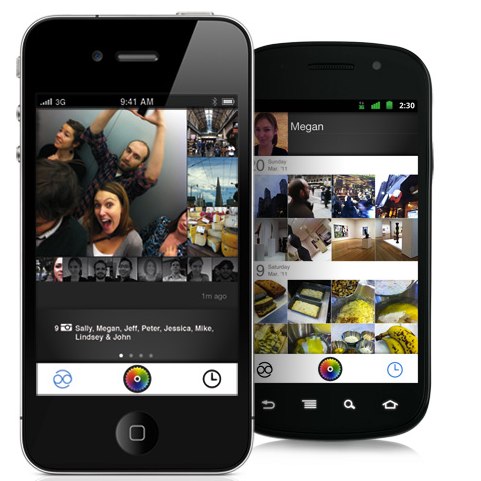
Color: At launch, this location-based photo sharing app was widely denounced by reviewers who weren't pleased with the user experience (but who were likely just expecting more given the outrageous $41 million in funding its creators received). Curious what all the fuss was about? Color is free for iPhone and Android.

iPhone

QuickCam: A seriously fast iPhone camera app is perfect for taking photos quicker and allows for fast switching between photo and video mode. You can even hold the button for rapid-fire photos or take stills while shooting video. (Note to parents with small, wiggly children: it's a must!)
Qik Video Connect: Post-Skype acquisition, Qik launched a new iPhone app that offers video calling, video messaging and video sharing. A Plus version for $2.99 offers more features including real-time effects, video editing and HD support.
Vimeo: The popular video-sharing website now has its own iPhone app - and it doesn't just let you watch videos, it lets you edit and share them too. Take that, YouTube!
Last Night Never Happened: This awesome app lets you automatically delete the (drunken, embarrassing) social networking posts you made during your lapse in judgement. Supports Facebook and Twitter, and allows you to remove posts, photos, comments, tweets and direct messages. Genius.
Addieu: This app lets you connect with new friends on Facebook, Twitter and Foursquare in addition to adding them to your Contacts app list. Maybe this should have been in the SXSW section below, but it's actually handy long after the SXSW party week ended.
Follows: Obsessed with your stats? Follows tracks data related to your social networking profiles on services like Twitter, Facebook, Feedburner, MySpace, Vimeo, YouTube, Flickr and LinkedIn. With this app, you can easily see your follower count, reader count, friend count and more.
TechDygest: An intelligent aggregator providing relevant news, summarized for quick reading. There are four different apps to choose from Dygest.com. TechDygest for tech news, iDygest for Apple news, gameDygest for gaming news and celebDygest for Hollywood gossip.
Mozy: The new iOS app works with the online backup and storage service allowing you to locate files, photos and other media using your phone. You can then open those files, share them via email or post to Facebook.
Pimp Your Screen: A useful tool for iPhone customization without jailbreaking, this app provides backgrounds, icon skins, app shelves, neon combos and more. And it lets you preview your customizations before applying them.
Ditto: From Jaiku founder Jyri Engeström, this location-based app lets you post what you're doing and where, under categories like "at home," "eat out," "work," "see movie," and more.
Zapd: This app lets you create an attractive website from your iPhone in minutes using templates.  And it's free! Isn't technology amazing?
MyStreamApp: Instead of sharing headphones, this app lets you share your music over a Wi-Fi connection.

Android

Flow: A Facebook app for Android that brings push notifications, comment liking, tagging friends in statuses and other missing features from Facebook's official app. (Actually, Facebook allows for push notifications, but not to the same extent as provided in Flow).
Thrutu: This app enhances phone calls by allowing you to share your location, photos, contacts and other files with callers without disrupting the conversation.
ReadItLater Pro: This 99 cents app lets you read your saved reading list items from the online service via your Android phone.
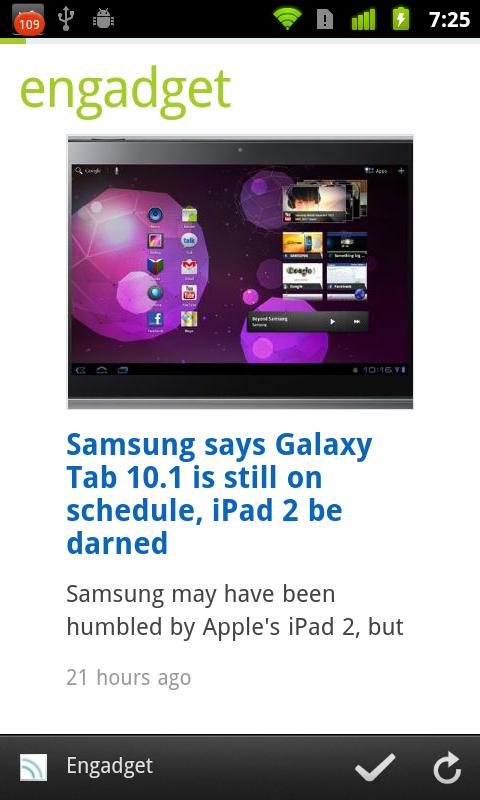
Feedly: This RSS app's popular online magazine-style reader comes to Android. It integrates with Google Reader, Twitter, Read it Later, bit.ly and Instapaper.
Dynamic Paint Live Wallpaper: From KittehFace Software (oh, the name), this fun live wallpaper lets you spray and splatter paint onto your home screen with a touch of your finger.

Wave Launcher: Not a full launcher, but more of a pop-up bar for launching favorite apps through a simple gesture.
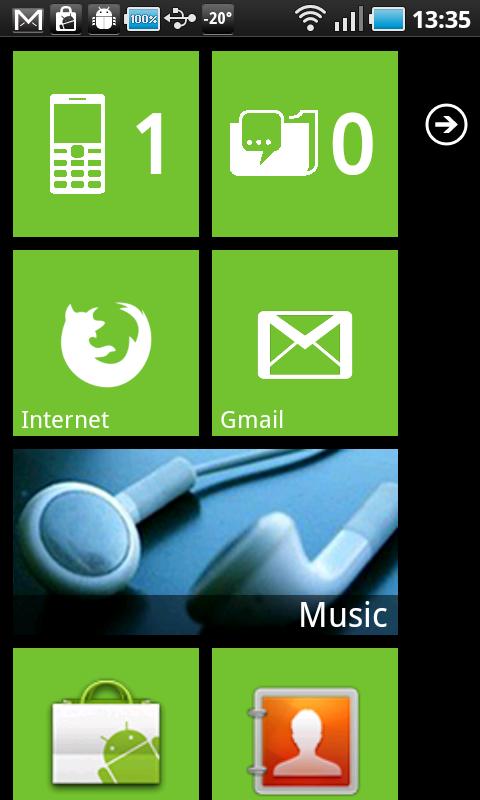
Launcher 7: Lusting after Windows Phone 7? This app lets you modify your start screen with the Metro UI look and feel.
Firefox 4: The newest version of the Firefox for Android Web browser brings Firefox sync, tabbed browsing, HTML5 support, and speed to Android. But it's 14 MB in size, be warned.


Comcast Xfinity: The Xfinity app, now available on Android, brings remote DVR management, TV listings and OnDemand searches to Android. No remote TV viewing, though. Bummer.
Slate: Popular online mag Slate arrives in Android format.
imo instant messenger: This multi-protocol IM app launched into beta for Android in late March. Supports Facebook Chat, Google Talk, Skype, MSN, ICQ/AIM, Yahoo, Jabber, and Myspace.
Scannify: Discover, manage and connect to devices on your Wi-Fi network using this new app.

The Apps of SXSW

BelugaAcquired by Facebook just prior to SXSW, Beluga was the app of choice for team RWW at SXSW. This group messaging app lets you create "pods" where you can chat with friends in private chat rooms, share photos and share your location. iPhone/Android supported.
GroupMe: Similar to Beluga, this group chat app also made waves at SXSW. In addition to text-based group chat, another feature gives each group a unique phone number for conference calls. GroupMe also just added support for brands, allowing users to engage in conversations about favorite TV shows, bands and events.
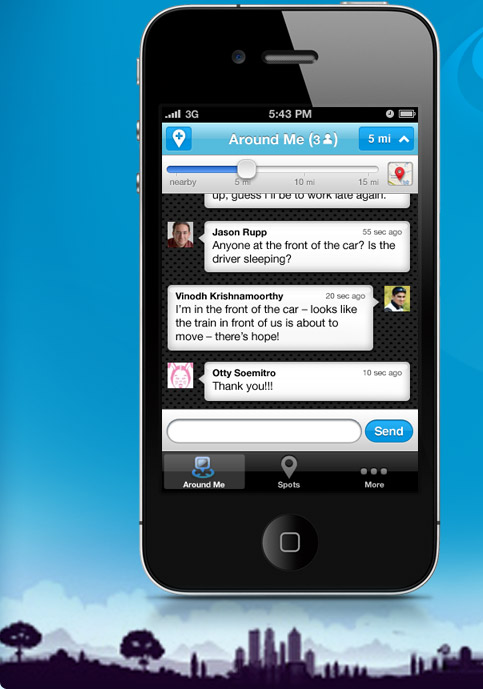
Yobongo: A location-based mobile chat app lets you communicate with those around you, a feature which the company calls "ambient real-time communication." The app is currently available in NY, SF and Austin only.
Fast Society: Launched last fall, this group texting app debuted new iPhone and Android versions for SXSW. Groups can chat, conference call, share location, photos and more. It also supports audio-based "shout outs" that are sent right into the group's stream.
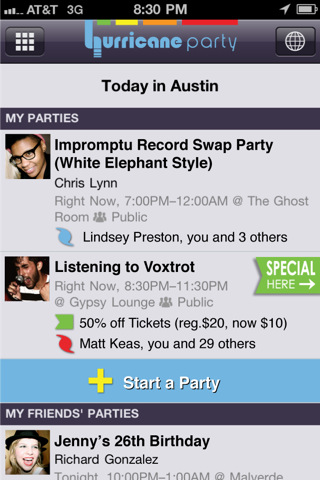
Hurricane Party: This app helped SXSW'ers find the happening parties. We're not entirely convinced the app has shelf life beyond the Austin festival, though. But maybe that's just because we live somewhere really boring.
Ask Around: Yes, that Ask.com This iPhone app is a lot like Yobongo in that it connects you to nearby conversations, but it also lets you find out what people are saying across town, too.
Retrollect: Before there was Color, this mobile photos app let you mashup pics, tweets and status updates to give you a play-by-play of your night, outing or other experience or event you wanted to remember.
Kik: This older group messaging app introduced a "Concierge" service at SXSW, letting users ask questions and get answers in real-time.

Notable Updates

Posterous added private groups to its iPhone and Android apps, allowing users to create private sharing groups on the go, each with their own dedicated website.
Camera+: Everyone's favorite alternative camera app for iPhone was updated to version 2.2, introducing a new feature called Clarity that lets you tap once to automatically adjust a photo to perfection.


LauncherPro: The update to this popular Android launcher brings new animations and a Gmail widget.
Adobe Connect Mobile for Android: This is the second major version of the Web conferencing app. It now supports two-way video, tablets and more.
IMDb: The IMDb iOS app was updated this month to feature a watchlist and enhanced showtimes. It also lets you buy movie tickets within the app.

London Underground's mobile plans hit buffers

Plans to offer mobile phone coverage on the London Underground have been derailed because of high costs.
Talks between Chinese telecoms provider Huawei and the UK's operators have broken down.


They had agreed to examine the idea of getting coverage on the tube in time for the London 2012 Olympics.

But putting antennas throughout the Tube's antiquated network have proved too costly.

"As a group we will continue to positively explore all other avenues available to us in order to provide a service at a later date," they said in a joint statement.

Vodafone, O2, Everything Everywhere and Three are believed to have already spent several million pounds on the project.

Huawei had offered to donate some of the necessary equipment.

"We are grateful to the companies who explored the possibility of getting full mobile coverage on the Tube, although disappointed that the genuine problems encountered could not be overcome on this occasion," a statement from the Mayor of London said.

Plans to expand wi-fi coverage on Tube stations will continue.

HOW TO: Make an iPad Case Using Common Household Materials

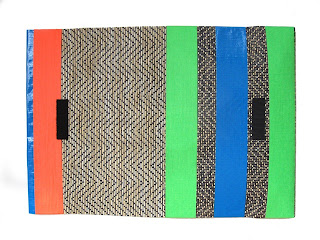
Everyone needs to tote around a few devices these days, but when it comes to electronics cases, there aren’t too many fashionable and inexpensive options to choose from.


With DIY infused in my DNA, I am programmed to create things that make my life more beautiful and fun. Inspired by all of the bold striped patterns and color blocking styles seen on the runway this season, I thought it fitting to make my own iPad clutch out of common materials.

Even if you’re “craft-challenged,” I guarantee anyone can create a one-of-a-kind iPad case in about 15 minutes. Here’s how.

Ingredients:
Kitchen drawer liner (Available at the Container Store, Bad Bath Beyond, target - Basically any home store)
A sharp pair of Scissors
Colorful tape. i like duct tape, But gaffer's tape and even electrical tape will work.
Velcro strips
 Step 1: Cut the drawer liner to the desired length. Two-thirds will become the pocket and the remaining third will be a flap closure that folds down over the pocket.
Step 2: Once you have measured your pocket, use a piece of tape to cover, secure, and wrap around the entire front and back. This will seal the edges.
Step 3: Continue to do so, adding pieces of tape around it until you are satisfied with the design. Make sure you have enough tape to keep your pocket intact without large gaps on the sides.
Step 4: Be sure to smooth the tape flat to make sure there are no air bubbles or bumps.
Step 5: Optionally, tape the other side to prevent fraying.
Step 6: Get creative with your colors and design. Add a monogram or try a bold pattern.
Step 7: Once taped, cut and stick velcro as a closure for the case. One piece should be on the inside flap (bottom), the other on the front flap (top). Be sure to line everything up properly so the case closes well.
Step 8: Viola!
Final: Ditch your iPad when necessary and use the clutch for other purposes: a travel pouch, accessory bag, document case, etc.

Wednesday, March 30, 2011

New Xbox 360 Update Preview Program Begins, All Testers Will Get Free Halo: Reach Copy – Sign Up Now!

When Microsoft is getting ready to push a new Dashboard update out to our beloved Xbox 360s, the Redmond outfit likes to have a few guinea pigs. You know, a few people to test the new software out in the wild before we get our greasy mits on it. Today they launched a new preview program and you can sign up right now.

Before you all rush on over to the sign-up page, beware there are a couple of caveats: you need to be a US resident, and you need to have an Xbox 360 (well, duh!).

Microsoft mouth-piece Major Nelson also says being a paid Xbox Live Gold subscriber will help your cause too, so bear that in mind when signing up.

If you’re lucky enough to be one of the few thousand selected, you’ll not only get preview access to whatever shiny new changes Microsoft has in store for us, but you’ll also find a copy of Halo: Reach winging its way to your door. Not bad eh?

What are you waiting for? Go sign up!

You May like:
Obama's got an iPad, and he tethers too !!
Kinect Breaks Guinness Record, Sells 10 Million Systems, Tops iPhone and iPad
On Apple TV Special Apps, Sports, And The Slow Bleeding Of Cable